How to Track and Check Your Brand Visibility in ChatGPT, Perplexity, and AI Search (2026 Guide)
How to check &Track ai visibility-A few months back, someone messaged me on Instagram saying they’d found my blog through ChatGPT, not Google. I remember reading that message twice, honestly a little confused. I hadn’t done anything “special” for that, or so I thought at the time. It turned out I had, without even realizing it — a bunch of small, boring things I’d been doing for months had quietly added up. That message is what sent me down the rabbit hole of figuring out how you actually check whether AI tools are picking up your content, and what you can do about it if they aren’t.
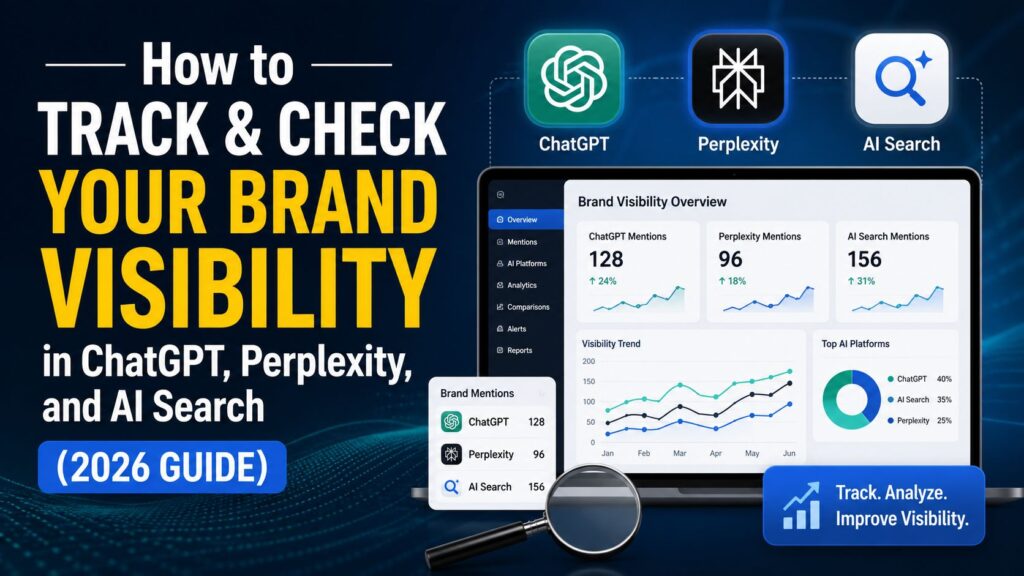
If you’re running a blog, a small business, or even a personal brand, this question matters more now than it did even a year ago. Google isn’t the only doorway into your audience’s attention anymore. People are asking ChatGPT for restaurant recommendations, asking Perplexity to compare two software tools before buying, and letting Google’s AI Overviews summarize an entire topic before a single website even gets a click. So the real question for anyone doing content or SEO in 2026 isn’t just “am I ranking on Google.” It’s “does AI even know I exist, and when it talks about my space, is it saying good things about me — or nothing at all.”
This guide walks through exactly how to check that, step by step, without needing a marketing degree or an expensive tool subscription to get started.
Why This Even Matters Right Now
Search behavior has shifted in a way that’s easy to miss if you’re only looking at your Google Analytics dashboard. A growing chunk of searches today never turn into a website click at all. The AI just answers the question directly, sometimes citing a source link, sometimes just summarizing from what it already knows. If your brand isn’t part of that answer, you’re invisible to a slice of your audience that’s only getting bigger — no matter how well you’re ranking on page one of Google.
I want to be clear about something here, because I see a lot of confusion around this online. This doesn’t mean traditional SEO is dead. It’s not. Good site structure, solid backlinks, clean on-page optimization — all of that still matters and probably always will. What’s changed is that there’s a new layer sitting on top of it now. Ranking well on Google used to be the finish line. Now it’s more like the entry ticket. Whether the AI actually trusts you enough to mention you, cite you, or recommend you — that’s the new game, and most people haven’t figured out how to even measure it yet, let alone win at it.
I’ve talked to a few people running blogs and small agencies who assumed AI visibility was something you either have or you don’t, like it’s random luck. It’s really not. It’s trackable, and once you know what you’re looking for, it’s actually pretty logical.
Step 1: Just Ask the AI Directly
I know this sounds almost too simple to be a “step,” but it’s genuinely where you should start, and it costs nothing.
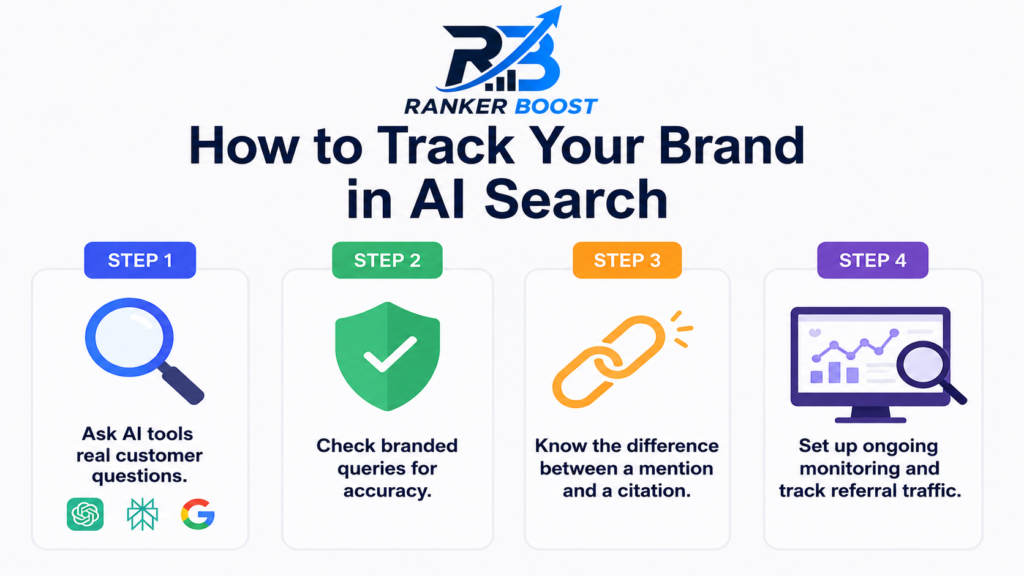
Open ChatGPT, Perplexity, and Google’s AI Mode in three separate tabs. Type in questions your ideal reader or customer would realistically ask — not your brand name, but the actual problem you solve. If you run a physiotherapy clinic in Gurugram, don’t type “tell me about [clinic name].” Type something like “best physiotherapy clinic in Gurugram for back pain” or “physiotherapist near Sector 14 Gurugram.” If you run a blog about freelancing, try “how to start freelancing in India with no experience.”
Now just watch what happens, and actually pay attention, don’t skim it.
Does your name show up anywhere in the answer? If it doesn’t, who does show up instead, and can you tell why they might have been picked over you? Sometimes it’s obvious — they have way more backlinks or a bigger domain. Other times it’s genuinely surprising, and that’s usually where the useful insight is hiding. Also check whether the AI cites a source link you can click, or whether it’s just describing something from general training knowledge without pointing anywhere.
Do this exercise across all three tools separately, because — and this trips a lot of people up — they don’t pull from the same data, and they definitely don’t weigh sources the same way. Perplexity leans heavily on live web results, almost like a search engine wearing a chatbot costume. ChatGPT blends its training knowledge with live browsing only when it decides browsing is needed, so its answers can feel a bit more “opinionated” or dated depending on the topic. Google’s AI Overviews pull straight from freshly indexed pages, similar to how featured snippets used to work, just wrapped in more natural language. A brand can show up beautifully in one of these and be completely absent in another. I’ve seen this happen with my own content more than once, and it caught me off guard the first time.
Step 2: Check Branded Queries for Accuracy, Not Just Presence
This next part isn’t really about whether you show up. It’s about whether what’s being said about you is even correct, which honestly matters more.
Type your actual brand name into each tool and ask something direct, like “what does [your brand] do” or “is [your brand] good for [specific service].” I’ve watched business owners get genuinely surprised during this step, because AI tools sometimes pull outdated information from an old directory listing, mix you up with a similarly named competitor in a different city, or quote a stale review from three years ago that doesn’t reflect your business anymore.
One small business owner I know runs a bakery, and when she asked ChatGPT about her own shop, it confidently described her as a “cafe known for its breakfast menu” — except she’d shut down breakfast service over a year ago and pivoted entirely to custom cakes. That’s a small thing on paper, but imagine a customer showing up expecting an all-day breakfast spot. If the AI is saying something wrong or outdated about you, that’s a real, tangible problem, and it’s one that most people don’t even think to check until a confused customer mentions it to their face.
Step 3: Learn to Tell the Difference Between a Mention and a Citation
There’s a meaningful difference between an AI casually mentioning your brand somewhere in a paragraph and an AI actually citing your website as a source with a clickable link. The second one matters a lot more, because it means the tool trusts your content enough to actively point people toward it, not just reference your name in passing.
Perplexity makes this the easiest of the three to check. It shows source links directly underneath its answers, numbered almost like little footnotes you’d see in a research paper. You can just scan through those numbers and see if your domain shows up anywhere in the list. ChatGPT does something similar when its search or browsing mode is switched on, showing small source cards or inline links. Google’s AI Overviews show a compact carousel of source links, usually collapsed by default, so you actually have to click to expand it before you can see what’s underneath — a lot of people skip this step entirely and assume there’s nothing there.
Here’s a habit that’s worked well for me and that I’d genuinely recommend: keep a simple spreadsheet with three columns. Query tested, tool used, and whether you were cited with an actual link or just mentioned by name without one. Run through this every month, same batch of questions each time so you’re comparing apples to apples. Patterns start showing up fast once you’ve got two or three months of data sitting side by side. You’ll notice things like “I always get cited on Perplexity for pricing questions but never on ChatGPT,” and that tells you something specific and actionable about where your content is or isn’t landing.
Step 4: Set Up Something Closer to Ongoing Monitoring
Checking manually works perfectly fine when you’re testing five or ten queries every now and then. It starts falling apart pretty quickly once you’re trying to track visibility across dozens of topics on any kind of regular schedule. Nobody has the patience to manually type forty prompts into three different chat windows every single week — I certainly don’t.
A few practical routes here, depending on how much time and budget you’re working with.
Google Search Console still helps, even if only indirectly. Keep an eye on your Discover and Search performance reports for unusual traffic patterns. AI-driven referral visits sometimes get bucketed as direct or unattributed traffic in your analytics, which itself is a signal worth watching even if it’s not perfectly clean data.
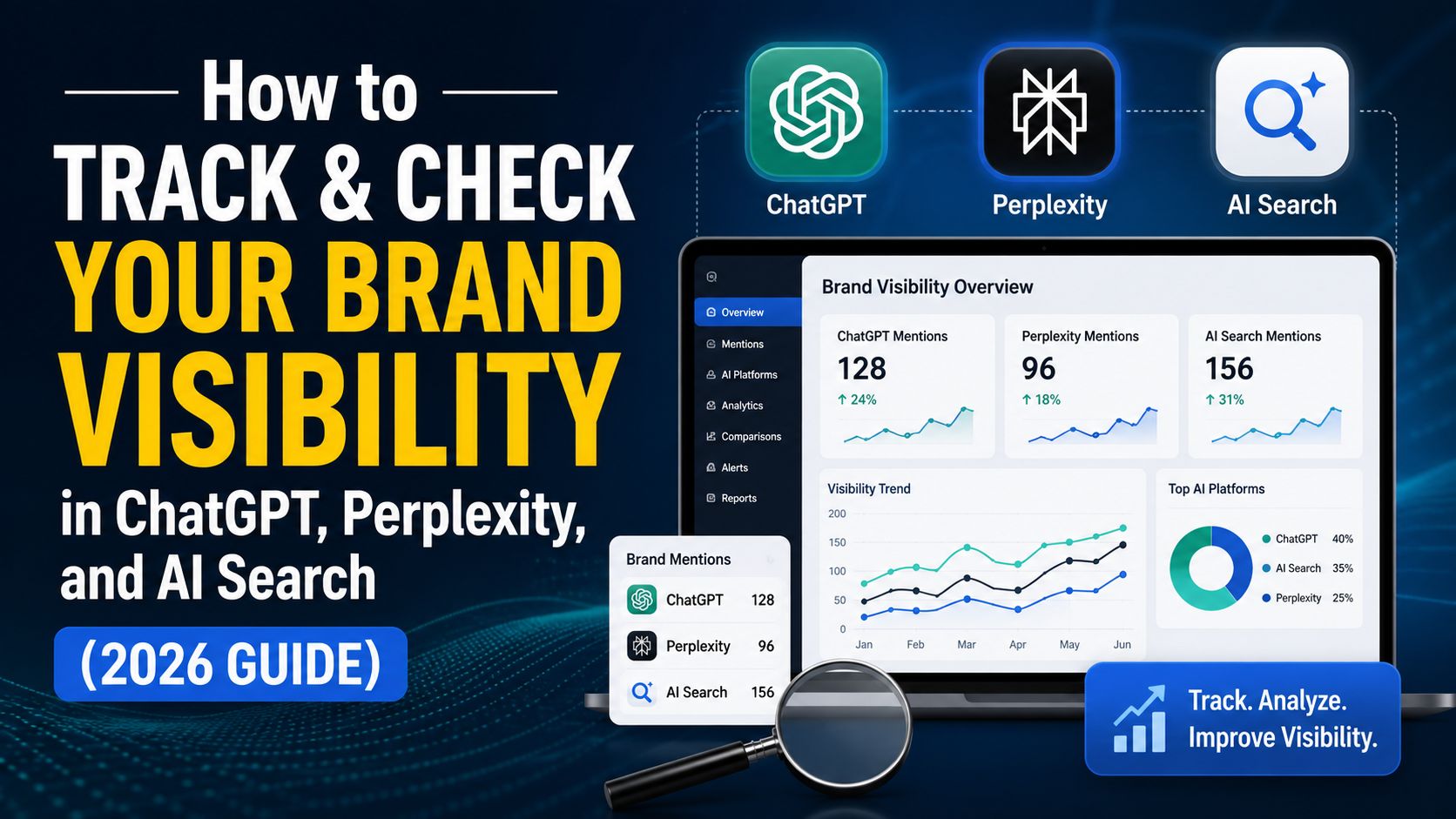
Dedicated AI-visibility tracking tools have started showing up over the past year or so, built specifically to run your brand name and your competitors’ names through multiple AI models on a set schedule, then flag when something changes. If you’re managing this kind of tracking for client work rather than just your own blog, this genuinely saves a lot of time compared to manually prompting every tool every single week by hand.
Referral traffic tracking inside Google Analytics is another quiet but useful signal that a lot of people forget to check. Look for traffic sources like chat.openai.com or perplexity.ai showing up in your referral reports. If you’re seeing real sessions coming in from those domains, that’s a direct trail proving AI tools are actively sending human visitors your way, not just mentioning your name somewhere without ever sending anyone over.
Step 5: Actually Give the AI Something Worth Citing
Tracking is only ever half the job. The other half, the part that actually moves the needle, is making sure there’s something genuinely worth citing on your site in the first place. A few things have made a real, measurable difference on my own content, based on what I’ve tested and watched change over time.
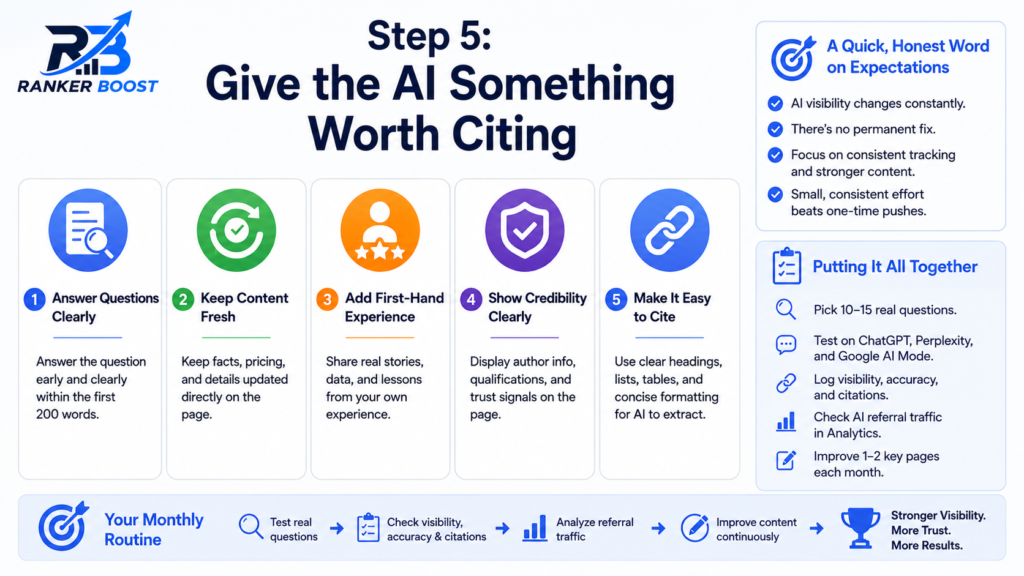
Write content that answers a specific question clearly, ideally within the first couple hundred words of the page, instead of slowly building up to the actual point the way a lot of older SEO advice used to teach. AI tools tend to pull from sections that directly and cleanly answer whatever was asked, without a reader or a model having to dig for it.
Keep your facts, your pricing, and your details current directly on the page itself, not buried inside an old PDF or a post from two years ago that nobody’s touched since. AI models seem to favor freshness signals in a very similar way that Google’s search algorithm always has.
Add genuine first-hand experience wherever you can — a real story, a specific number from your own work, a mistake you personally made and then fixed. Generic advice blends into a thousand other pages saying almost exactly the same thing in almost exactly the same words. Specific, lived experience stands out from that noise and tends to get pulled as a distinct, trustworthy source rather than just another rehash.
Make sure your author information and any credibility signals are actually visible on the page itself, not hidden three clicks deep in some “about us” section nobody visits. AI models, much like Google’s own ranking systems, seem to weigh trust signals fairly heavily when they’re deciding which sources are safe enough to quote or recommend to someone asking a real question.
A Quick, Honest Word on Expectations
I want to be straight with you here instead of making this sound easier than it is. This isn’t a one-time fix you set up and forget about. AI visibility shifts week to week, sometimes even faster, because these models retrain, re-crawl the web, and reprioritize which sources they trust on a rolling basis. What gets you cited today might quietly stop working next month for reasons that are genuinely hard to pin down from the outside. That’s just the current nature of this space, and honestly, anyone promising you guaranteed, permanent AI visibility is probably overselling something.
The realistic goal isn’t chasing perfect visibility across every single tool all the time. It’s building a habit of checking regularly, noticing patterns as they show up, and steadily strengthening the kind of content that AI models tend to trust and lean on. Small, consistent effort here beats a one-time big push almost every time, at least from what I’ve seen with my own content and with a few other blogs I’ve watched closely over the past year.
Putting It All Together
If you take nothing else from this, take this simple monthly routine: pick ten to fifteen real questions your audience actually asks, run them through ChatGPT, Perplexity, and Google’s AI Mode, and log whether you show up, whether it’s accurate, and whether you’re actually cited with a link or just mentioned in passing. Cross-check against your Analytics referral data for any AI-tool traffic sneaking in. Then spend a bit of time each month tightening one or two pieces of content to answer a specific question more clearly than anyone else currently does.
It’s not glamorous work, and it won’t show dramatic results in a week. But stack that habit up over six months, and you’ll have a much clearer, evidence-based picture of where you actually stand in AI search — instead of just guessing and hoping for the best, which is honestly where most people are still stuck right now.
FAQ
Once a month is a reasonable starting rhythm for most small businesses and bloggers just getting into this. If you’re actively working on content strategy or running this kind of tracking for client campaigns, checking every two weeks gives you tighter, faster feedback on whether whatever changes you’ve made are actually working or not.
Manual checking works completely fine when you’re just starting out, or only tracking a handful of key queries around your main topics. Paid tracking tools become genuinely worth the cost once you’re monitoring a large number of queries, several competitors at once, or managing this kind of visibility tracking across multiple client accounts where manual checking simply isn’t practical anymore.
Google rankings and AI citations don’t run on identical criteria, even though there’s plenty of overlap. AI tools tend to weigh things like content clarity, how directly a page answers the specific question asked, freshness, and trust signals. Sometimes a page that ranks lower on Google actually answers that particular question more cleanly and directly, which is exactly why it ends up getting picked by the AI instead of a technically higher-ranking page.
Yes, to a real and meaningful extent, though not with total control. You can’t force it completely, but publishing accurate, clear, consistently updated content with genuine first-hand expertise noticeably improves your odds of being cited correctly. Fixing outdated information sitting elsewhere on the web too — old directory listings, stale reviews, outdated social profiles — also helps, since AI models sometimes pull from those secondary sources as well, not just your own website.
It’s working alongside traditional SEO, not replacing it. Strong fundamentals — good site structure, quality backlinks, solid on-page optimization, fast loading pages — still form the entire foundation that AI visibility gets built on top of. Think of AI visibility tracking as a new layer sitting above your existing SEO work, not a separate game you’re starting from scratch.
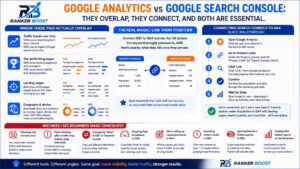
Google Analytics vs Google Search Console:-Read more