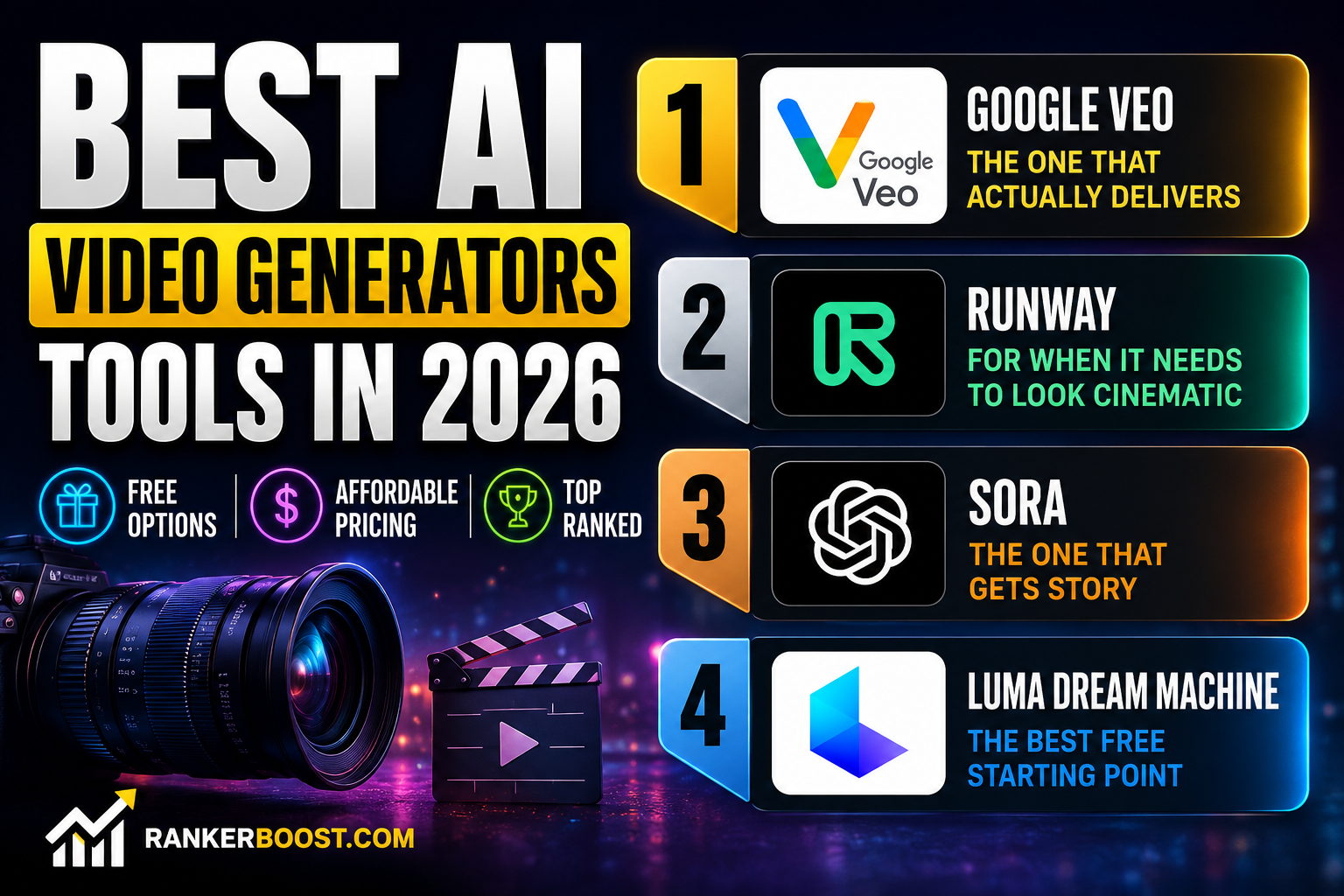
Best AI Video Generators in 2026 — I Tested 25+ So You Don’t Have To
In a hurry? Here’s the short version:
What you need Go with this Best overall Google Veo Best for YouTube Descript Best for social media InVideo AI Best completely free Luma Dream Machine Best for avatar videos Synthesia Best if you’re a total beginner VEED
Best AI Video Generators in 2026 Let me be honest with you — six months ago, most AI video tools were a mess. Melting faces, hands with eight fingers, clips that looked like a fever dream. Impressive as a demo ,however, useless for actual work.
That’s changed fast.
I spent six weeks generating hundreds of clips, uploading real footage, stress-testing free tiers, and pushing every tool to its limit. Some still belong in the trash. But a handful? They’re genuinely ready for real work — and a few of them blew me away.
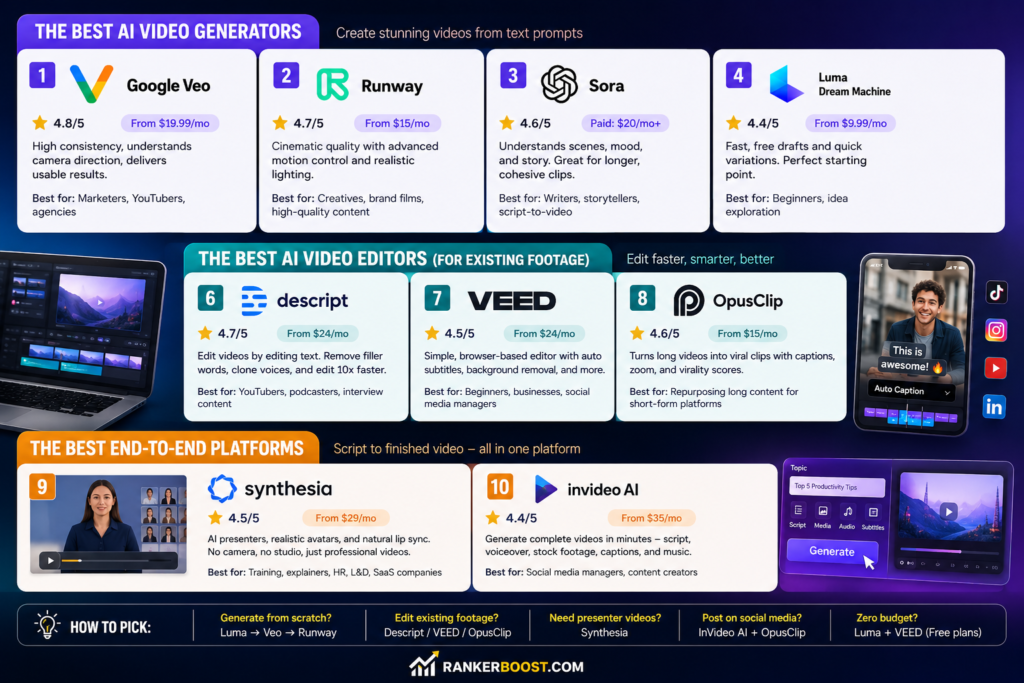
Quick Comparison — All 10 Tools
| Tool | Best for | Score | Free? | Price |
|---|---|---|---|---|
| Google Veo | Best overall results | ⭐ 4.8 | ✅ | $19.99/mo |
| Runway | Film-quality output | ⭐ 4.7 | ✅ | $15/mo |
| Sora | Storytelling & narrative | ⭐ 4.6 | ❌ | $20/mo (Plus) |
| Luma Dream Machine | Best free option | ⭐ 4.4 | ✅ | $9.99/mo |
| LTX Studio | Shot-by-shot control | ⭐ 4.3 | ✅ Trial | $15/mo |
| Descript | Edit video like a Word doc | ⭐ 4.7 | ✅ | $24/mo |
| VEED | Easiest to learn | ⭐ 4.5 | ✅ | $24/mo |
| OpusClip | Turning long videos into clips | ⭐ 4.6 | ✅ | $15/mo |
| Synthesia | No-camera presenter videos | ⭐ 4.5 | ✅ | $29/mo |
| InVideo AI | Social content at speed | ⭐ 4.4 | ✅ | $35/mo |
How I Tested These Tools
I wasn’t just clicking around. For every tool I ran the same set of tests:
- Generated at least 10 clips from text prompts across different scene types
- Uploaded real interview footage and tried the editing features
- Pushed the free tier to its actual limits (not just what the pricing page claims)
- Timed how long each workflow took start to finish
- Checked what the output actually looks like on a phone screen, not just a monitor
The score you see isn’t vibes — it’s output quality, editing speed, how much babysitting it needs, and whether the free tier is real or a trick.
The Best Text-to-Video Tools (No Footage Needed)
These generate video from scratch. Type a prompt, get a clip.
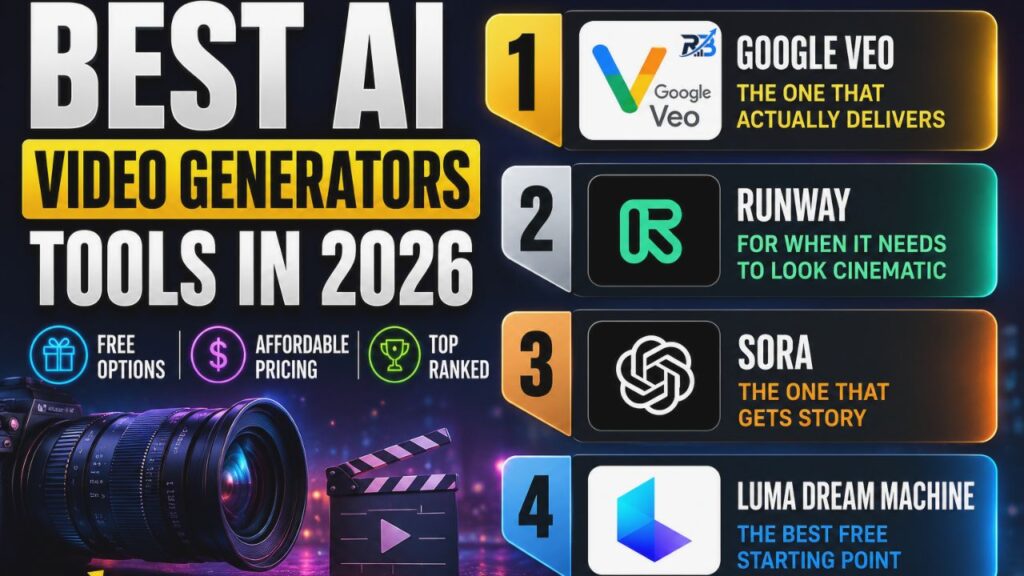
1. Google Veo — The One That Actually Delivers
4.8/5 · Free monthly credits · From $19.99/mo
Here’s the thing about most AI video tools — they produce great results maybe 60% of the time. The other 40% you’re staring at something unusable. Veo flips that ratio. I’d say around 85% of what it generates is usable without edits, which sounds like a small jump until you’re the one sitting there regenerating clips for two hours.
What makes it different is how well it understands camera direction. For example, tell it “slow push-in on a coffee cup, warm morning light, shallow depth of field” — it delivers. That’s not something I can say about most of its competitors.
The free tier gives you monthly credits to play with. Meanwhile, the Pro plan at $19.99/mo removes watermarks and significantly increases what you can generate.
Perfect for: Marketers, YouTubers, or any agency that needs consistent output without someone babysitting every generation.
2. Runway — For When It Needs to Look Cinematic
4.7/5 · Free plan · From $15/mo
Runway is what you use when the video has to look genuinely good — not “pretty good for AI,” but actually good. Moreover The Gen-3 Alpha model has this quality to it that’s hard to describe: the motion feels weighted, the lighting responds to scenes naturally, and there’s none of that floaty, unreal quality you get from other tools.
The motion brush feature is unlike anything else on this list. You literally paint over part of the frame and describe how it should move. I painted over a curtain and typed “slow billow in a breeze” — it worked. As a result That kind of control matters when you’re making something that needs to feel intentional.
Perfect for: Anyone making creative video, brand films, or content where visual quality is the whole point.
3. Sora — The One That Gets Story
4.6/5 · No free tier · Included with ChatGPT Plus ($20/mo)
Most text-to-video tools are good at pretty images. Sora is good at scenes. There’s a difference. When I prompted it with “a tired commuter staring out a rain-covered train window, dusk, reflections of the city passing by” — it actually captured the mood .In fact, Not just the image description, but the feeling of it.
Because of this It also holds longer clips together better than anything else I tested. Up to 60 seconds without characters suddenly changing faces or backgrounds glitching out.
The catch: there’s no free tier, and the watermark doesn’t go away until the $200/mo Pro plan. Hence — For a lot of people that’s a deal-breaker. But As well as if you’re already paying for Chat GPT Plus, it’s worth experimenting with.
Perfect for: Moreover, Writers and storytellers who want to bring scripts to life, not just generate nice-looking b-roll.
4. Luma Dream Machine — The Best Free Starting Point
4.4/5 · Free draft videos · From $9.99/mo
If you’re not ready to pay anything yet, start here. Luma’s free tier gives you real draft-quality videos — not just a watermarked preview or a three-second teaser.Actual clips you can use to figure out if AI video is worth it for you.
It’s also fast. Idea to five variations in under 10 minutes. That speed makes it useful for quick concept work even if you end up generating the final version somewhere else.
Perfect for: Overall ,Beginners or anyone who wants to explore AI video before spending a penny.
5. LTX Studio — For Directors Who Want Control
4.3/5 · Free trial · From $15/mo
Every other tool on this list takes your prompt and makes decisions for you. LTX Studio lets you make those decisions yourself — camera angle, character position, shot transitions, scene by scene. It’s closer to building a storyboard that comes to life than it is to generating video from a prompt.
If that level of control sounds appealing, you’ll love it. If it sounds exhausting, the other tools will suit you better.
Perfect for: Creative agencies and directors with a specific vision However, who don’t want the AI improvising.
The Best AI Video Editors (For Your Existing Footage)
These don’t generate video — Therefore they make editing existing footage dramatically faster.
Best AI Video Generators in 2026
6. Descript — Edit Video the Way You Edit Text
4.7/5 · Free plan · From $24/mo
Descript transcribes your video automatically. Then you edit the transcript like a Word document — delete a sentence, and that footage disappears from the video. That’s it. That’s how editing works in Descript.
It sounds gimmicky. It’s not. Instead I edited a 45-minute interview down to 12 minutes in about 20 minutes, and I didn’t touch a timeline once. The AI also removes every filler word automatically — every “um,” “uh,” and “you know” — in one click.
It also has AI voice cloning. Flubbed a line in your recording? Type the corrected version, and it regenerates your voice saying it. I’ve tested a lot of AI tools. This feature still gets me.
Perfect for: YouTubers, podcasters, and interview-style content creators who spend too much time in editing.
7. VEED — No Learning Curve, Just Results
4.5/5 · Free plan · From $24/mo
VEED is what I’d recommend to someone who just needs to make good-looking videos without learning anything. It runs in the browser — no download, no setup. The auto-subtitle feature is accurate and takes about 30 seconds. Background removal works on the first try. The interface doesn’t make you feel dumb.
However ,It’s not the most powerful tool on this list, but it is the most approachable, and that matters a lot when you’re starting out.
Perfect for: Small business owners, social media managers, and anyone who wants professional results without a production background.
8. OpusClip — Turn One Long Video Into Ten Short Ones
4.6/5 · Free plan · From $15/mo
If you have long-form content — webinars, podcasts, hour-long YouTube videos — Opus Clip is genuinely impressive. Upload the video, it identifies the most quotable, engaging moments, clips them out, adds captions, zooms in on speakers at the right moments, and gives each clip a “virality score.”
Furthermore I uploaded a 90-minute webinar. Eight minutes later I had 12 ready-to-post clips. Not rough cuts — actual finished clips with captions and punch-ins. That’s a workflow that used to take half a day.
Perfect for: For example -Anyone who creates long content and needs to repurpose it into short-form for TikTok, LinkedIn, Instagram Reels, and YouTube Shorts.
The Best End-to-End Platforms
These handle everything — script to finished video — for specific content types. Best AI Video Generators in 2026
9. Synthesia — Professional Presenter Videos, No Camera Required
4.5/5 · Free (3 min/mo) · From $29/mo
Here’s the scenario Synthesia was built for: you need a professional-looking presenter video, but you don’t have a presenter, a camera, or a studio. Type your script, pick one of 160+ AI avatars, and it renders a polished video with realistic lip sync, natural head movement, and Besides proper eye contact.
Similarly A year ago, these avatars looked weird. The uncanny valley was real. Furthermore In 2026 the quality has crossed a threshold where most people watching won’t question it. The lip sync in particular is impressively accurate now.
Perfect for: HR teams, L&D departments, SaaS companies, and anyone Additionally who needs to produce professional training or explainer videos without film crew costs.
10. InVideo AI — Social Videos on Autopilot
4.4/5 · Free plan · From $35/mo
Type a topic. In addition Choose a platform. Three minutes later you have a complete video — script written, voiceover recorded, stock footage selected, captions added, music underneath. It’s not going to win any creative awards, but when you need to publish five times a week, “done and good enough” beats “perfect and never finished.”
Perfect for: Meanwhile Social media managers and content creators who need volume without spending hours per video.
Best AI Video Generators in 2026
How to Pick the Right Tool for You
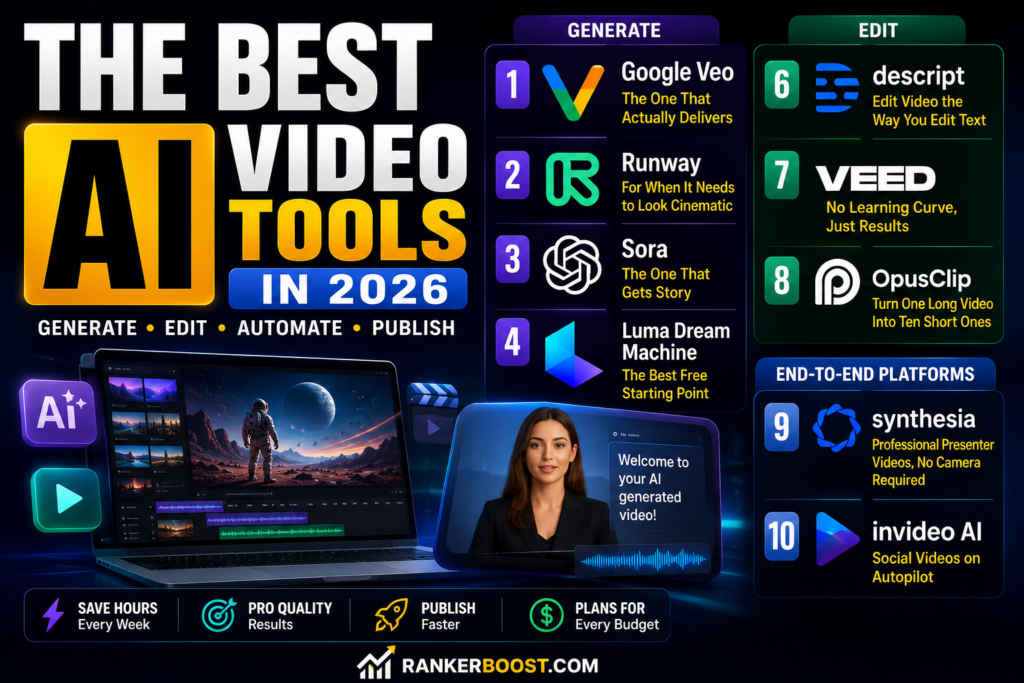
Don’t overthink it. Here’s the honest version:
Creating video from nothing? Start free with Luma Dream Machine. If you need consistency and quality, move to Google Veo. If you’re doing creative or brand work, use Runway.
Editing footage you already have? If it’s talking-head content, Descript will change your life. If you’re a beginner, VEED. Eventually If you’re repurposing long videos, Opus Clip.
Need presenter videos without being on camera? Synthesia, no contest.
Building social content fast? InVideo AI to create, OpusClip to repurpose, VEED to polish.
Budget is zero? Luma Dream Machine for generating + VEED for editing. Both have real free tiers, not just glorified trials.
FAQ
Google Veo and Runway are both excellent. Veo wins on consistency — you get fewer bad outputs per session. Runway wins on peak cinematic quality when it’s firing on all cylinders. Sora sits in its own category for emotional depth and holding complex scenes together across longer clips.
Yes — Luma Dream Machine is the real one. Its free tier gives you actual draft-quality videos, not a locked preview designed to frustrate you into paying. VEED and Opus Clip also have genuine free editing plans. The trade-off is usually a watermark and a resolution cap, which is fine for testing but not ideal for client work.
InVideo AI comes closest — it’ll write a script, add a voiceover, pull stock footage, and caption everything automatically. Descript is better if you already have recorded footage and want to edit it fast. Neither will replace a great editor for high-production content, but for informational or talking-head YouTube channels,they genuinely work.
Pictory has fallen behind on output quality. V yond is solid but expensive at $99/ mo for what’s a niche format. Adobe Firefly Video is promising but still too limited for serious use in mid-2026. HeyGen is impressive but priced for enterprise budgets. I’d skip all four unless you have a very specific reason to use them.
For text-to-video: anywhere from 30 seconds to 3 minutes depending on the clip length and the tool. Editing tools like Descript and VEED process footage in near real-time once uploaded. InVideo AI builds a full social video in 2–3 minutes. OpusClip processed my 90-minute webinar in about 8 minutes.
Conclusion:-
If you only remember one thing from this entire guide: Google Veo for generating, Descript or VEED for editing. That combination covers 90% of what most people need, and both have real free tiers to start with before spending anything. Best AI Video Generators in 2026
Going to zero budget? Luma Dream Machine + VEED is a surprisingly capable free stack.
Instead Need to skip being on camera entirely? Synthesia is in a league of its own for avatar-led content.
Drowning in long-form content that needs to become short clips? OpusClip will get back hours of your week.
The tools are ready. The main thing stopping most people now isn’t the technology —As a result , it’s just not knowing where to start. Pick the free option that fits your use case, spend 20 minutes with it, and go from there. For or more informational content – Click here
Last updated May 2026. We revisit this list every month as pricing changes and new tools ship.
Some links may be affiliate links .Likewise They don’t change our recommendations — we’d say the same things either way.